> ## Documentation Index
> Fetch the complete documentation index at: https://docs-dev-feat-docs-5521-google-one-tap.mintlify.site/llms.txt
> Use this file to discover all available pages before exploring further.

> Learn how to configure your JWT Connection to sign, verify or decode JSON Web Tokens.

# JWT Vault Connection

## Configure your JWT Vault connection

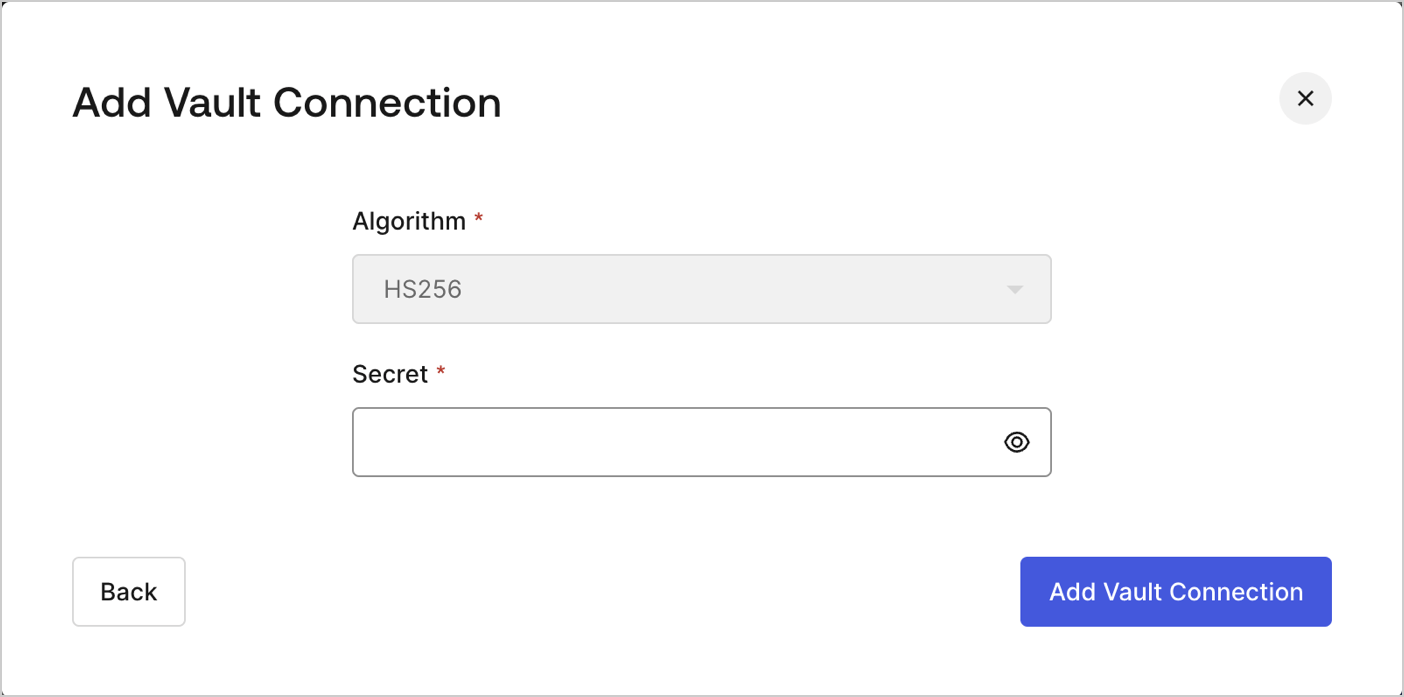
To configure an JWT Vault Connection for your Flows JWT Actions to sign, decode, and verify JSON Web Tokens, you need to set the required parameters.
<Frame>
  <img src="https://mintcdn.com/docs-dev-feat-docs-5521-google-one-tap/9WIpnsvWNXcRHIyy/docs/images/customize/forms/vaults/jwt-vault-connection.png?fit=max&auto=format&n=9WIpnsvWNXcRHIyy&q=85&s=c55b2e5e66133c1e8c6c612017d8c41e" alt="Dashboard > Actions > Forms > Vault > JWT" data-og-width="1404" width="1404" data-og-height="697" height="697" data-path="docs/images/customize/forms/vaults/jwt-vault-connection.png" data-optimize="true" data-opv="3" srcset="https://mintcdn.com/docs-dev-feat-docs-5521-google-one-tap/9WIpnsvWNXcRHIyy/docs/images/customize/forms/vaults/jwt-vault-connection.png?w=280&fit=max&auto=format&n=9WIpnsvWNXcRHIyy&q=85&s=374d55deb26659fdae8e9787594bb7ed 280w, https://mintcdn.com/docs-dev-feat-docs-5521-google-one-tap/9WIpnsvWNXcRHIyy/docs/images/customize/forms/vaults/jwt-vault-connection.png?w=560&fit=max&auto=format&n=9WIpnsvWNXcRHIyy&q=85&s=642cac4d4ded69aff1e8037e2e9bc006 560w, https://mintcdn.com/docs-dev-feat-docs-5521-google-one-tap/9WIpnsvWNXcRHIyy/docs/images/customize/forms/vaults/jwt-vault-connection.png?w=840&fit=max&auto=format&n=9WIpnsvWNXcRHIyy&q=85&s=b6d7cb3c05300e8831fc0bf8d0284664 840w, https://mintcdn.com/docs-dev-feat-docs-5521-google-one-tap/9WIpnsvWNXcRHIyy/docs/images/customize/forms/vaults/jwt-vault-connection.png?w=1100&fit=max&auto=format&n=9WIpnsvWNXcRHIyy&q=85&s=b9eea31fda9cec287e2df99222d07235 1100w, https://mintcdn.com/docs-dev-feat-docs-5521-google-one-tap/9WIpnsvWNXcRHIyy/docs/images/customize/forms/vaults/jwt-vault-connection.png?w=1650&fit=max&auto=format&n=9WIpnsvWNXcRHIyy&q=85&s=bda7b9cab174f68668e02f6563ebf5f7 1650w, https://mintcdn.com/docs-dev-feat-docs-5521-google-one-tap/9WIpnsvWNXcRHIyy/docs/images/customize/forms/vaults/jwt-vault-connection.png?w=2500&fit=max&auto=format&n=9WIpnsvWNXcRHIyy&q=85&s=b794eb4dbaa8092668665e57600d1a0a 2500w" />
</Frame>

## Input settings

| Parameter | Description                                                 |
| --------- | ----------------------------------------------------------- |
| Secret    | Secret to be used in the HS256 algorithm to encode the JWT. |
